

How to Manage Google Reviews Efficiently with the Right App
Key Takeaway
- To manage Google reviews efficiently, you need a system that surfaces new reviews immediately, not a habit of manually checking your profile when you remember to.
- A slow response to a bad review does more damage than the bad review itself. Consumers increasingly expect a reply within 24 hours.
- The best review management apps catch a bad experience before it becomes a public review, not just after.
- Managing reviews across two or more outlets by hand almost always means some reviews get missed entirely.
- Review data is genuinely useful business intelligence if it’s actually organised well enough to read.
Introduction

Getting more Google reviews is only half the challenge. The other half, the one that catches most businesses off guard, is what happens once those reviews start actually coming in. A five-star review nobody responds to for two weeks. A one-star review that sat unanswered long enough to become the first thing every future customer sees. A second outlet whose reviews nobody’s tracking at all because the owner only ever checks the main location’s profile.
This is what it actually means to manage Google reviews, as distinct from generating them. If you’re still working on getting more reviews in the first place, our companion guide on how local businesses can encourage more Google reviews covers that side. This one is about what happens after the reviews start showing up, and why the right app makes the difference between staying on top of them and quietly falling behind.
What Does It Actually Mean to “Manage” Google Reviews?
Managing reviews covers three ongoing jobs: knowing the moment a new review lands, responding to it appropriately and on time, and catching a bad experience early enough to fix it before it becomes public. Done well, none of this takes much daily effort. Done manually, it quietly eats far more time than most owners realise, and it’s the first thing that slips once a business gets busy or adds a second location.
Why Manual Review Management Breaks Down
At a single outlet with a handful of reviews a month, checking Google Business Profile manually is annoying but manageable. The problems start compounding once volume or locations increase.
Reviews get missed entirely, especially ones posted outside business hours or on a day nobody thought to check. Responses slip from same-day to a week later, then sometimes never happen at all. A negative review sits publicly unanswered for long enough that it shapes what every subsequent visitor to your profile assumes about the business. And once there’s a second or third location, there’s no single place to see all of them together, so someone has to remember to check each profile separately, which in practice means most people stop checking consistently.
Response speed matters more than most owners assume. Analysis of BrightLocal’s 2026 consumer review survey found that 19% of consumers now expect a reply to their review the same day they post it, and another 32% expect one by the following day, meaning more than half of reviewers expect a response within 24 hours. A business with fifty reviews and zero owner replies reads as absent, even when the reviews themselves are positive.
What to Look For in a Google Review Management App
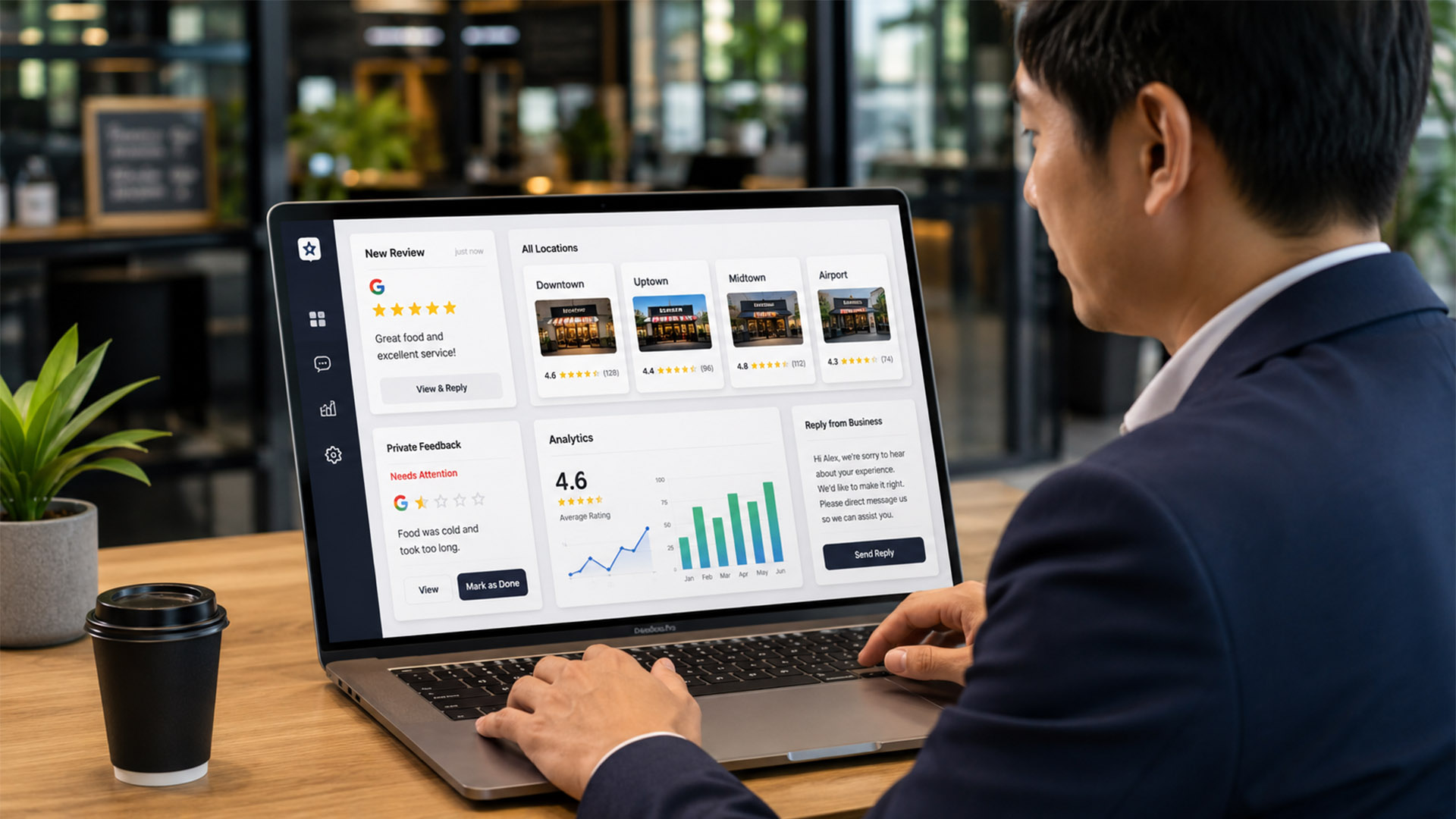
Not every tool marketed as a “review management app” actually solves the problem described above. A few features separate the ones that help from the ones that just add another dashboard to check.
A real-time or near-real-time alert the moment a new review posts, rather than relying on someone to check manually. A single view across every location if you have more than one, instead of separate logins per outlet. Some form of negative-review filtering, so a bad experience can be caught and addressed before it lands publicly rather than after. Basic analytics showing review volume and rating trends over time, not just a static list. And ideally, a way to respond directly from the tool rather than needing to switch between it and Google Business Profile separately.
How Automated Review Routing Actually Protects Your Rating
This is the single most useful mechanism a review app can offer, and it doesn’t get talked about enough. Rather than simply speeding up how fast you find out about a bad review, a good system intercepts the feedback before it becomes one.
Synqro’s Auto Google Reviews tool works through a QR code scanned at the point of purchase. The customer answers two short prompts before the review is posted. If the experience was clearly positive, it flows straight through to a genuine Google review. If the feedback indicates a poor experience, sub-four-star territory, it routes privately to the business owner instead of landing on the public profile.
This changes the entire dynamic of review management. Instead of finding out about a problem when it’s already visible to every future customer, the owner finds out first, privately, with a real chance to fix it or follow up directly with the customer before any damage is done. Review management stops being purely reactive and starts catching problems at the source.
Responding to Reviews the Right Way
Software gets a business notified quickly and can filter out the worst feedback before it goes public, but responding well is still a human skill worth getting right.
Reply promptly. Given that more than half of reviewers now expect a response within a day, aim for that window consistently, not just when it’s convenient. Personalise the reply rather than pasting the same generic thank-you on every review, since customers and future readers can tell the difference. Address negative reviews professionally and specifically, acknowledging the actual issue rather than a vague apology, and take the conversation offline for anything that needs real resolution. Never argue publicly with a reviewer, even an unfair one. Future customers reading the exchange judge the business’s response far more than the original complaint.
A short example illustrates the gap. “Thanks for your review!” posted under a review that specifically mentioned slow service tells a future reader nothing was actually heard. “Thanks for flagging the wait time; we’ve adjusted staffing for our peak hours and would love to have you back” tells that same reader the business actually listens. The second response costs no more time to write, but it does far more work.
Turning Review Data Into Business Insights
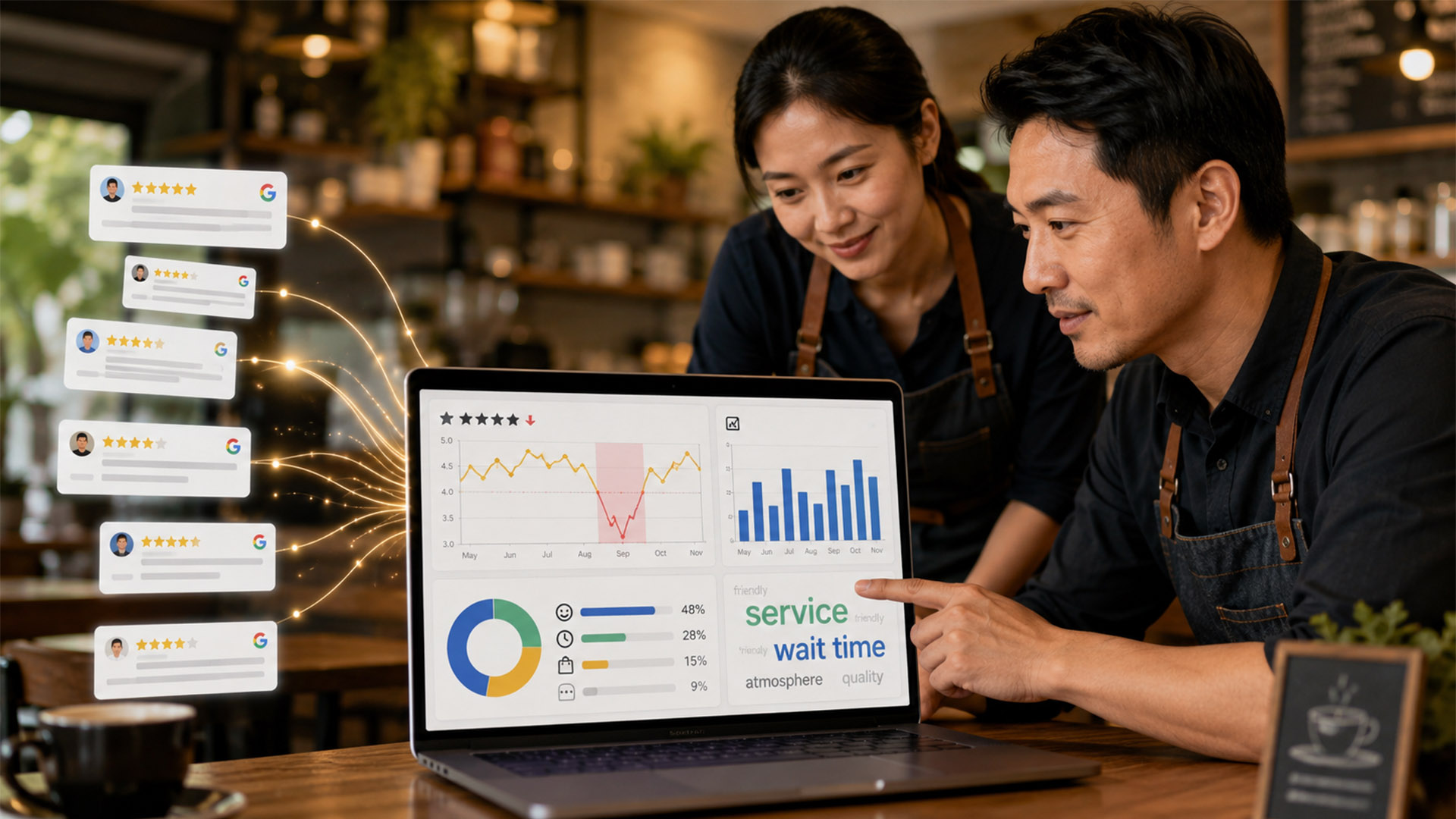
Reviews aren’t just reputation management. Read in aggregate, they’re a free, ongoing source of feedback about what’s actually working and what isn’t.
A review management tool that tracks volume and rating trends over time can surface patterns a single review never would, like a particular week where ratings dipped noticeably, or a recurring theme across several reviews pointing at the same operational issue. This kind of pattern is nearly invisible when reviews are checked one at a time on Google’s own interface, but it becomes obvious once volume and trend data sit in one place.
Managing Reviews Across Multiple Locations
This is where manual review management struggles the most. Each additional outlet multiplies the number of profiles to check, and without a single consolidated view, it’s common for one location’s reviews to get noticeably less attention than another’s, usually without anyone deciding that on purpose. It’s rarely intentional. It’s just what happens when checking reviews depends on someone remembering to open several separate logins in a row.
A tool with multi-location support solves this by pulling every location’s reviews into one place, so a business can see which outlet is performing well, which one needs attention, and respond consistently across all of them rather than just whichever location the owner happened to check that week. This also matters for consistency of tone. Customers who visit two outlets of the same business notice if one location replies to reviews warmly and promptly while the other never responds at all. A single dashboard makes it far easier to keep that response style consistent, since it’s the same person or team handling all of it in one place rather than juggling separate logins with separate habits.
Is It Worth Using an App to Manage Google Reviews?
Yes, once a business has more than a handful of reviews a month or more than one location. Manual checking works at a very small scale, but it reliably breaks down as volume grows, and the cost of a missed or slow-answered negative review is higher than the cost of a review management app.
Frequently Asked Questions

How often should I check and respond to Google reviews?
Aim to respond within 24 hours where possible, since more than half of reviewers now expect a reply within that window. A management app that alerts you immediately makes this realistic without checking manually every day.
Can I really stop a bad review before it’s posted?
Not entirely, but a tool with private feedback routing catches a meaningful share of poor experiences before they become public, since customers are prompted to share the issue privately first rather than posting directly to Google.
Do I need a review management app if I only have one location?
It becomes genuinely useful once you’re receiving more than a handful of reviews a month, even at a single outlet, simply so nothing gets missed and responses stay timely.
Does responding to reviews actually affect my Google ranking?
Review engagement is considered part of how active and trustworthy a business profile appears, both to Google’s local ranking signals and to potential customers browsing your listing.
What’s the difference between managing reviews and getting more of them?
Getting more reviews is about encouraging customers to leave feedback in the first place. Managing reviews is what happens afterwards: responding on time, catching problems early, and staying on top of volume across locations. Our guide on encouraging more Google reviews covers the first part in full.
Managing Google reviews well isn’t about working harder at checking your profile. It’s about having a system that surfaces new reviews immediately, catches bad experiences before they go public, and keeps every location visible in one place. Once that system is in place, review management stops being a background worry and becomes a small, five-minute part of the week instead of an ongoing source of missed reviews and slow responses. If staying on top of your Google reviews has become harder as your business has grown, Synqro’s Auto Google Reviews tool is built around exactly this problem. And if you’re earlier in the process and still working on getting more reviews to manage in the first place, our guide on how local businesses can encourage more Google reviews is the natural next read.

